![1024px_Zyda_Mainlogo_Black-8-1.png]](https://help.zyda.com/hs-fs/hubfs/1024px_Zyda_Mainlogo_Black-8-1.png?height=40&name=1024px_Zyda_Mainlogo_Black-8-1.png)
Managing a large number of orders is now easier than ever.
The Bulk Print feature allows you to print multiple order receipts at once, helping you save time and streamline your operations—especially during busy hours.
User Authority
The following roles can use Bulk Print:
-
Owner ✅
-
Manager ✅
-
Operator ✅
Steps to Print Orders in Bulk
1- Go to Orders.
2- Select the orders you want to print by checking the boxes next to them.
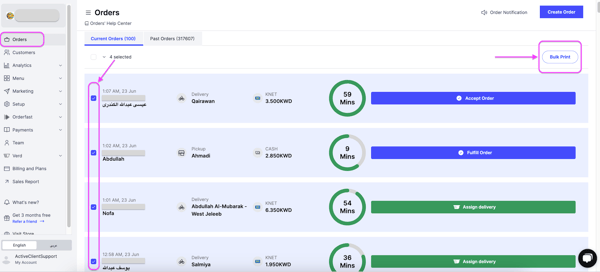
3- Click Bulk Print at the top right of the page.
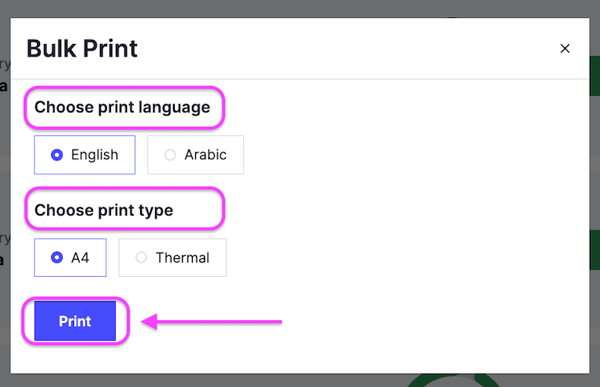
4- Choose your print settings, then click Print.
Print Settings
-
Print Language: English or Arabic
-
Print Type: A4 or Thermal