![1024px_Zyda_Mainlogo_Black-8-1.png]](https://help.zyda.com/hs-fs/hubfs/1024px_Zyda_Mainlogo_Black-8-1.png?height=40&name=1024px_Zyda_Mainlogo_Black-8-1.png)
Canceling an order will change its status to Canceled and move it to Past Orders.
Once canceled, no further actions can be taken on the order except issuing a refund.
User Authority
The following roles can cancel an order:
-
Owner ✅
-
Manager ✅
-
Operator ✅
Steps to cancel an order
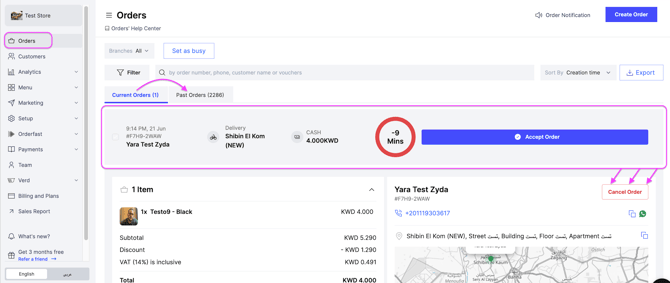
1- Go to Orders.
2- Open the order you want to cancel.
3- Click Cancel Order.
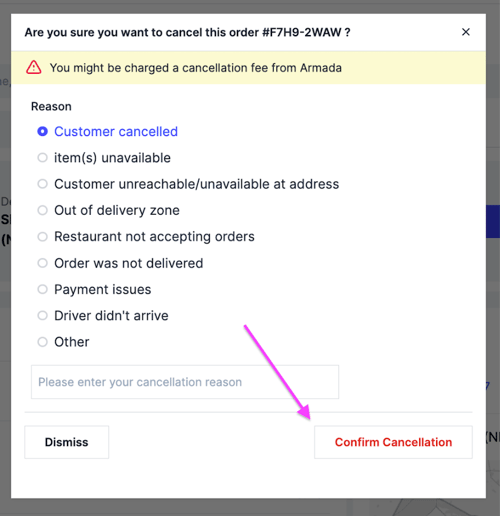
4-Select the cancellation reason.
5-Click Confirm Cancellation.
Note: Canceling an order does not automatically refund the customer.
To make a refund, please refer to the article How to Refund an Order.