![1024px_Zyda_Mainlogo_Black-8-1.png]](https://help.zyda.com/hs-fs/hubfs/1024px_Zyda_Mainlogo_Black-8-1.png?height=40&name=1024px_Zyda_Mainlogo_Black-8-1.png)
Delivery time is the time needed for the order to be delivered not the Delivery Hours.
User Authority
The following roles can change delivery time:
-
Owner ✅
-
Manager ✅
-
Operator ❌
Steps to Update Delivery Time
1- Go to Setup and choose Delivery.
2- Select the zone you want to edit and click the options icon (⋮).
3- Click Edit.
4- Under Delivery Time, set the estimated delivery time (in minutes or hours).
5- You can also make Bulk Edit for many zone at once.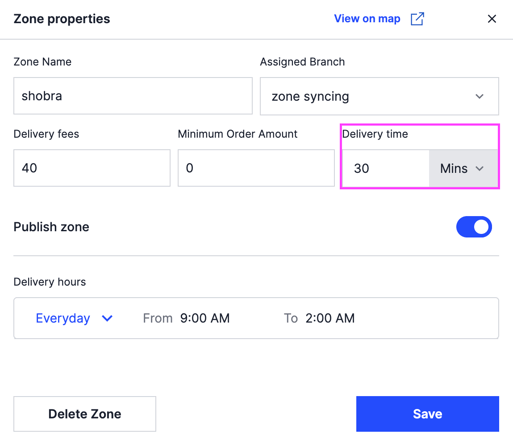
5- Click Save
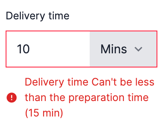
Note: The delivery time includes preparation time.
So it must be more than the preparations time.