For: Owners, Operations, Marketing, Finance, Branch staff
Where: Your initials at the top right > My account
Available: Web dashboard · All countries
Your name, email and phone number are how your team and Zyda reach you. Keep them current, and change your password from the same place.
How it works
Your details belong to your Zyda sign-in. If you work for more than one store on Zyda, the change shows in every store.
A new email does not change at once. Zyda sends a link to the new email. Until you confirm it, you still sign in with your old email.
Change your name or phone number
- Select your initials at the top right of the dashboard.
- Select My account.
- Under Your details, change Full Name or Phone Number.
- Select Save Changes.
You see "Your details are saved."
Change your email
- Open My account, as above.
- Enter the new Email.
- Select Save Changes. A message asks you to check your new email.
- Open the email Zyda sent to the new address, and open its link.
- Select Confirm.
You see "Email changed". Use the new email the next time you sign in.
The link works for 24 hours. To stop the change before you confirm it, select Cancel change under the email.
Change your password
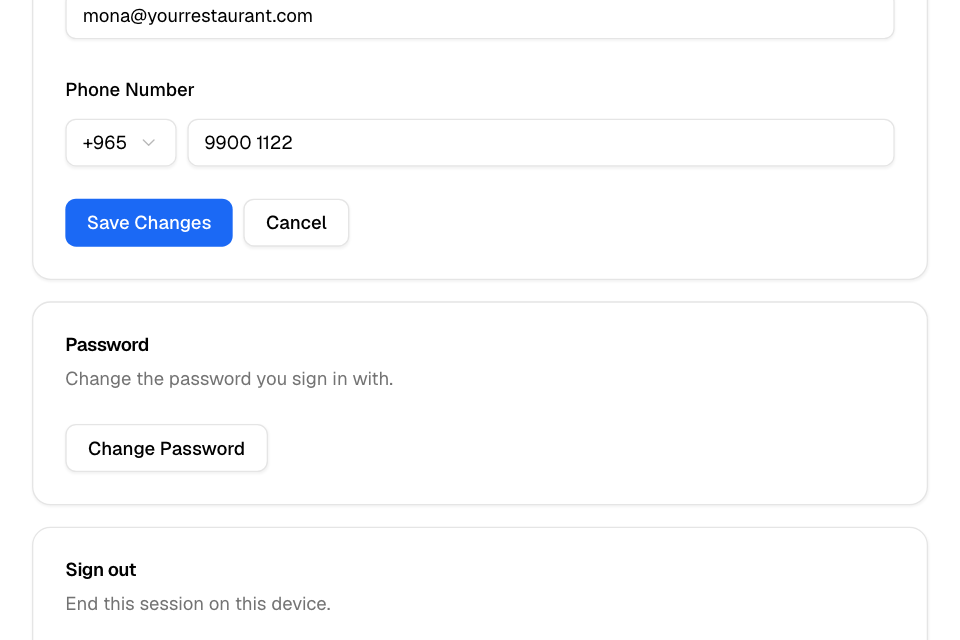
- Open My account, as above.
- Under Password, select Change Password.
- Enter your Old password.
- Enter the new password in Your New password and in Confirm New Password. Select the eye to see what you typed.
- Select Save Changes.
You see "Password changed successfully". Zyda also ends your dashboard sessions on every device, this one included. When the dashboard asks, sign in again with the new password.
Sign out
Select your initials at the top right, then Log out. You can also select Log out under Sign out on My account. This signs you out on this device only.
Rules and limits
- A password needs at least 8 characters. Use English letters (A to Z), numbers and these symbols only: @ $ ! % * # ? & . < > ' ; : " ,
- If you see "Old password is incorrect", check the password you sign in with now. If you forgot it, sign out and select Forgot your password?.
- An email can belong to one Zyda sign-in only. If another sign-in uses it, you see "This email is already used by another account."
- You can ask for an email change 5 times an hour.
Common questions
My new password has a space or a dash and it is refused. Why?
This page accepts only English letters, numbers and the symbols listed above. It shows "Password must contain at least 8 characters" for any other character, an Arabic letter included. Remove that character.
Can the store owner change my password?
No. Only you can change your password. If you forgot it, use Forgot your password? on the sign-in page.
The confirmation link says it has expired. What now?
Links work for 24 hours. Enter the new email on My account again to get a new link.