For: Owners, Operations, Marketing
Where: Grow > Offers > Add offer
Available: Web dashboard · All countries
A discount should do a job: bring in new customers, fill slow hours or grow the order size. Start from the job, and Zyda sets up the offer for it, with numbers based on your own orders.
How it works
When you select Add offer, Zyda asks What is the offer for? Each goal asks only two or three questions, and fills them in from your last 90 days of orders. For example, Bigger basket suggests a spend a little above your average order.
Next to the offer you see:
- Customers see: the offer as customers read it.
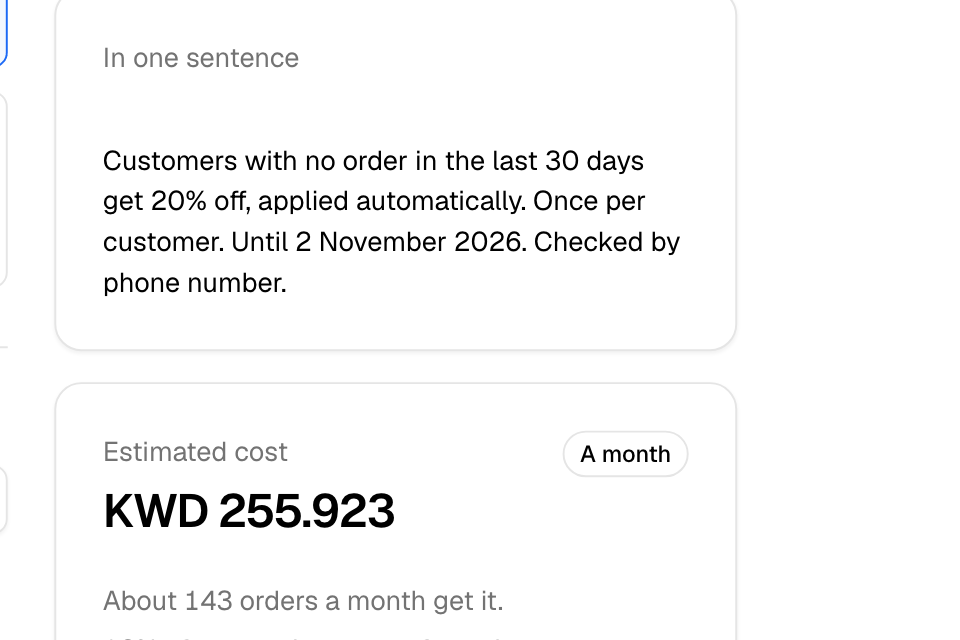
- In one sentence: the offer's rules in plain words.
- Estimated cost: what the offer may cost you, from your orders in the last 90 days.
The goals
| Goal | What it builds | You set |
|---|---|---|
| Bigger basket | Money off when the cart reaches an amount. Add up to 5 levels, such as 2 KWD off over 10 KWD and 4 KWD off over 18 KWD. | The amount and the discount |
| Free delivery over a spend | No delivery fee when the cart reaches an amount. | The amount |
| Promote an item | Buy one, get one free on the items you choose. | The items, how many to buy and how many free |
| Fill quiet hours | A discount at set hours every day. Zyda suggests your three quietest open hours. | The discount and the hours |
| Welcome new customers | A discount on a customer's first order, checked by phone number. | The discount, a maximum, and how many days it runs |
| Win back customers | A discount for customers who have not ordered for a while. | The discount, the number of days, and when it ends |
| Reward regulars | A discount on every order for customers who order often. | The discount, the number of orders, and when it ends |
| Partner codes | A separate code for each partner or influencer. | The discount, the number of codes and uses per code |
| Custom offer | The full form, from blank. | Everything |
Create an offer
- Go to Grow > Offers and select Add offer.
- Choose a goal.
- Check or change the suggested numbers.
- Under Which orders, choose all orders, delivery only or pickup only.
- Read Customers see and Estimated cost.
- Select Launch offer.
The offer starts at once. To change more settings first, select Show all settings.
Most goals make an automatic offer: it applies to every order it fits, with no code. Partner codes makes codes. If your store cannot have automatic offers, the offer gets a code, such as WELCOME15.
Read the estimated cost
- For an automatic offer, the estimate is for A month.
- For a code, it is for Each order that uses it.
- With a use limit or budget, it shows At most.
The estimate also says how many orders may get the offer, for example "About 120 orders a month get it."
If you see "Your average order is 6.500 KWD, so most orders already reach this", the offer would cut the price of orders you get anyway. Raise the amount.
The estimate needs at least 100 orders of that kind in the last 90 days.
Common questions
Can I change the offer after I launch it?
Yes, most settings. The discount type, orders, items and branches are fixed. See Manage your offers.
Who pays for the discount?
Your store. Zyda's commission is worked out on the amount after the discount.