For: Owners, Operations, Marketing
Where: Grow > Offers > Edit > Codes
Available: Web dashboard · All countries
When ten influencers share the same code, you cannot tell who brought the orders. Give each partner, bank or influencer its own code. Every code follows the same offer rules and counts its own uses.
How it works
Partner codes belong to one code offer. They copy all its rules. When you edit the offer, the codes change too. The offer's budget covers all its codes.
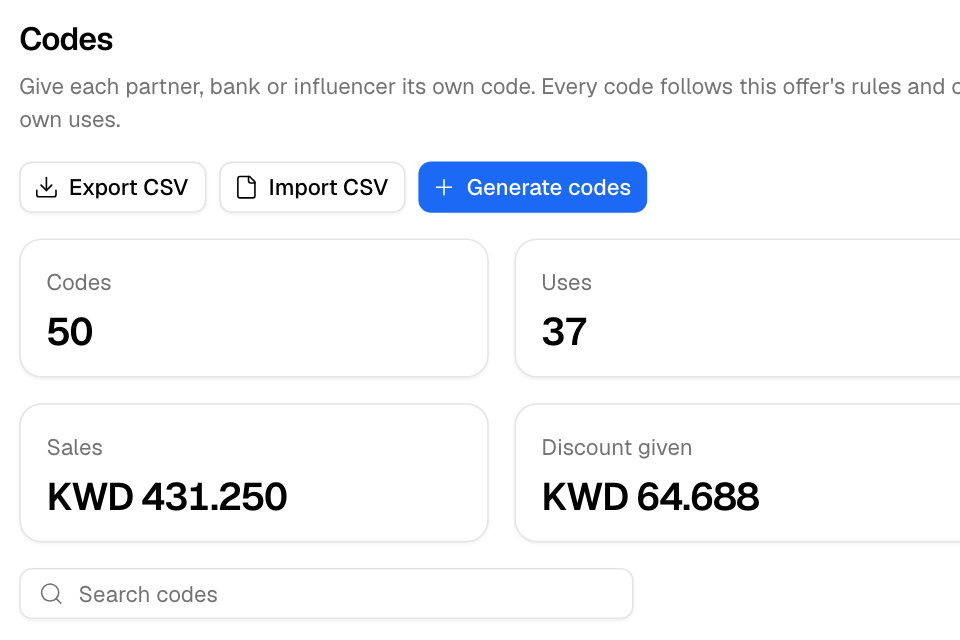
The Codes section shows each code's uses, orders, sales and discount.
Make codes from a goal
- Go to Grow > Offers and select Add offer.
- Choose Partner codes.
- Enter the discount, the Number of codes and Uses per code.
- Select Launch offer.
Zyda makes the codes with the prefix PARTNER and opens the offer.
Add codes to an existing offer
- Open a code offer with Edit.
- In Codes, select Generate codes.
- Enter How many codes (up to 5,000), an optional Prefix, and Uses per code. Enter 0 for no limit.
- Select Generate codes.
Each code is your prefix followed by 8 random letters and digits, for example BANKA7XK3M9Q. The codes are made in the background. You can leave the page.
Import your own codes
- Make a CSV file with one code in the first column of each row. A first row named "code" is skipped.
- In Codes, select Import CSV and choose the file.
- Select Import codes.
You can import up to 5,000 codes per file. Codes must be letters and digits. The result lists codes that were not added and why, for example "already used by another offer or code".
Export codes
Select Export CSV to download every code with its uses, orders, sales and discount.
Rules and limits
- Automatic offers and campaign codes cannot have partner codes.
- One batch of codes runs at a time for each store.