For: Owners, Branch staff, Operations
Where: The bell in the top bar
Available: Web dashboard and Zyda phone app (Android) · All countries
A missed order is a lost customer. Zyda rings for new orders on any page of the dashboard, not only on Orders.
How it works
The bell in the top bar opens your sound settings. A crossed-out bell means order sounds are off.
Browsers block sound until you click somewhere on the page. If the bell shows a dot, click it once to allow sound.
Set your sounds
- Select the bell in the top bar.
- Turn on Order sounds.
- Choose the sound:
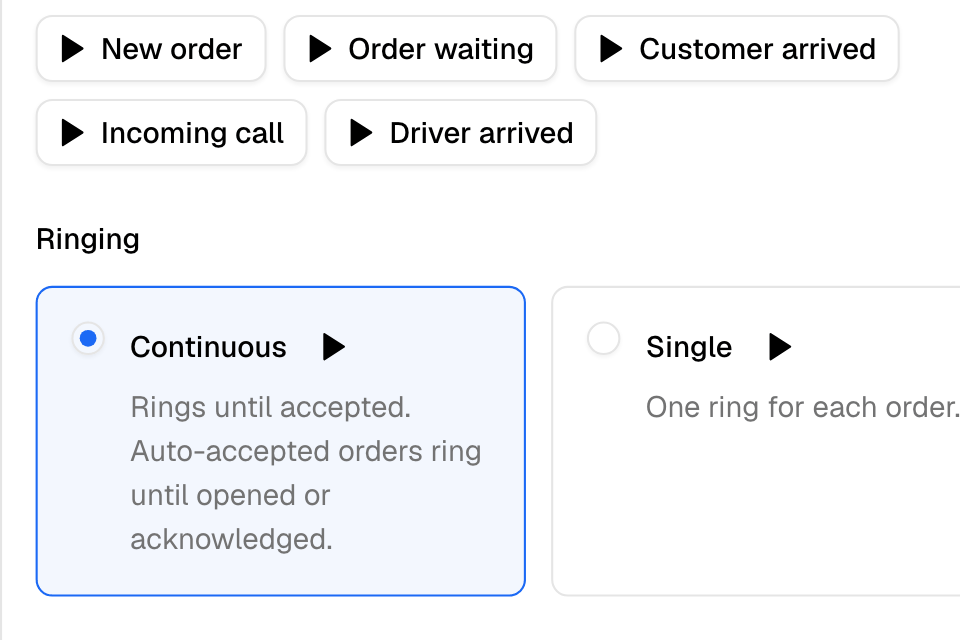
- Piano: a different sound for each moment, such as a new order, an order still waiting, a customer who arrived or a driver who arrived.
- Classic: one beep for everything.
- Choose the ringing:
- Continuous: rings until someone responds.
- Single: one ring for each order.
- Turn on the alerts you want: Order status updates, Curbside arrival chime and Driver arrival chime.
- Select Save Changes.
Select Play to hear a sound before you choose it.
Rules and limits
- The sound and the switches are saved for this browser. Set them on each computer or tablet.
- The ringing choice is saved for your user.
Common questions
I don't hear new orders. What do I check?
Click the bell once, so the browser allows sound. Check that Order sounds is on and your device volume is up. Keep the dashboard open in a browser tab.