For: Owners, Operations, Marketing
Where: Your online store and your app
Available: Web dashboard and Zyda phone app (Android) · All countries
Customers ask your team how loyalty works. This article shows what they see, step by step, so you can answer them.
Where customers find loyalty
- Points: a Rewards page on your web store, and a Rewards tab in your app.
- Cashback: a Wallet page on your web store, and a Wallet tab in your app.
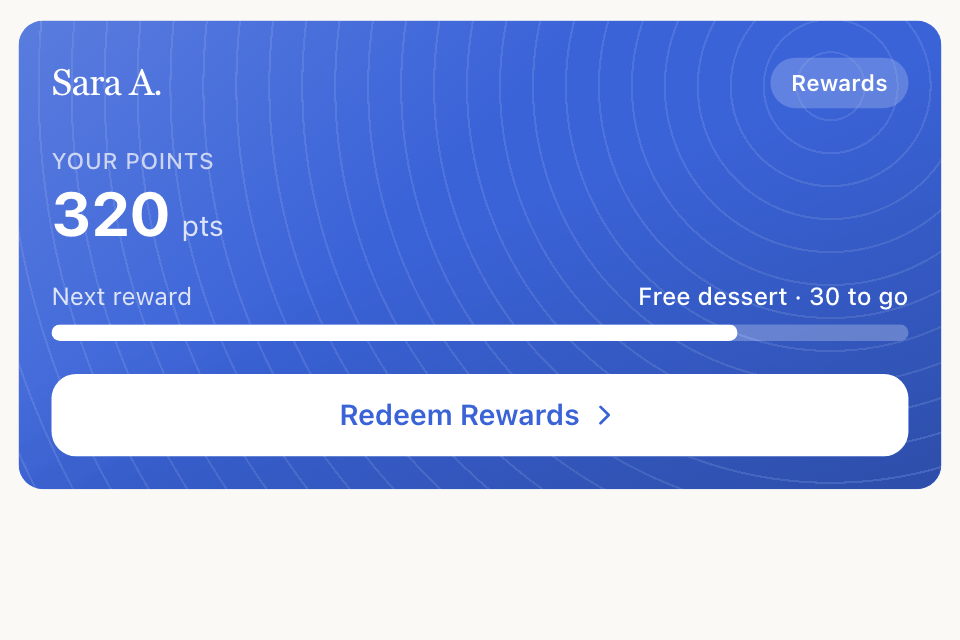
- The home page shows a loyalty card in your brand colour, with the customer's balance and how far they are from the next reward.
Customers sign in with their phone number to see their balance, redeem rewards and use their wallet. Guests can see your rewards and how many points they would earn.
Earning
- On an item page: how many points the item earns. Excluded items show nothing.
- In the cart: "Earn 12 points with this order". Below your minimum: "Add 1.500 KWD more to start earning points".
- After ordering: "You'll earn +12 pts". The points arrive when the order reaches the status you chose.
- Cashback: checkout shows the cashback the order will earn.
Redeeming a reward
- The customer opens Rewards. Rewards they can afford show Unlocked. Others show how many points are left.
- They choose a reward and select Redeem.
- The reward goes into the cart. A free item shows as Free. Checkout shows Applied Reward, with an × to remove it.
- The points are taken when the order is placed.
A customer can use one reward per order, and not with a promo code. In the app, choosing a reward removes a promo code, and the app says so first.
If a reward does not fit the cart, the customer sees "This reward can't be applied to your current cart." The message does not say why. See Create rewards customers buy with points for the checks.
Using the wallet
- At checkout, the customer turns on Wallet Balance.
- Amount Due shows what is left to pay.
- If the wallet covers the whole order, there is nothing more to pay.
The web store wallet page shows every amount in and out, and when cashback expires. The app shows the balance and history, without expiry dates.
Common questions
Can customers see when their points expire?
No. They learn it from your expiry reminders. Cashback expiry shows in the web store wallet.
Can customers see their full points history?
No. You can see it in Grow > Loyalty > Members.