For: Owners, Operations
Where: Your website > item page, cart and checkout
Available: Web dashboard · All countries
A customer who orders for a party needs to tell you when it starts and how many guests will come. Your website asks for the event, checks the item limits you set, and sends you the order for the right time.
How it works
When catering is on and an item has a limit, your website shows the limit on the item's page. For example: "Order at least 2 days ahead" or "For events from 1 Dec to 31 Dec".
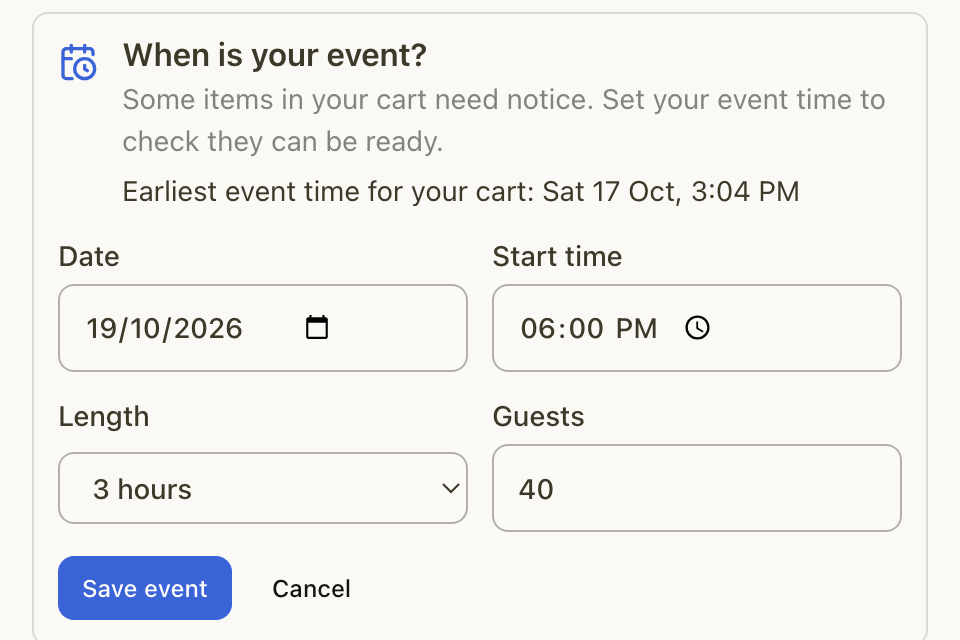
When the cart has such an item, the cart and checkout ask When is your event? The customer:
- Selects Set event.
- Picks the Date and Start time.
- Picks the Length of the event.
- Enters the number of Guests.
- Selects Save event.
The box also shows the earliest event time the whole cart allows.
What checkout stops
Zyda checks every item in the order against its limits before the order goes through. Checkout stops the order when:
- An item needs more notice. The customer sees the earliest time they can order it for.
- The event is before an item's Events from date. The customer sees the earliest time.
- The event is after an item's Events until date. The customer is asked to pick another time.
- The event time has passed.
- The cart also has an item with a booked time slot. An order cannot have an event and a booked time together.
How the order reaches you
- The order is a scheduled order for the time the event starts. Your kitchen has the food ready when the event begins.
- Your usual rules for scheduled orders apply too, such as blocked dates, busy times and slot limits.
- In Manage > Orders, the order shows the event start as its time.
What the customer sees after ordering
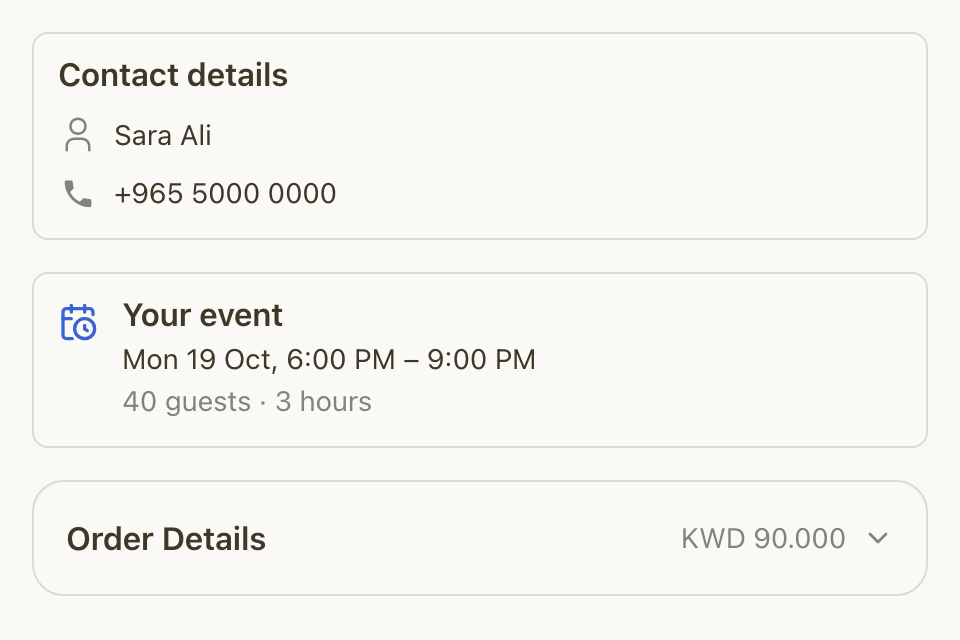
The order confirmation page and the order tracking page show a Your event card. It shows the date, the start and end time, the number of guests and the length.
Rules and limits
- The event length is from 15 minutes to 24 hours.
- The number of guests is from 1 to 10,000.
- The branch must take scheduled orders. Otherwise the customer cannot set an event for it.
- Dine-in table orders never become event orders.
- Your dashboard shows the event start time. It does not show the number of guests or the length.
Common questions
Do orders from my store app follow the same limits?
Yes. Checkout checks every order against the item limits, including orders from your app. The event box itself shows on your website.
Can a customer change the event after setting it?
Yes. In the cart or at checkout, the customer selects Change in the event box, or Remove event.
Why did a customer's order fail at checkout?
An item in the cart needed more notice, or the event time was outside an item's dates. The message names the item and the earliest time it can be ordered for.