For: Owners, Operations
Where: Setup > Branches > Locations > Edit > Last order and Blocked dates
Available: Web dashboard · All countries
Needs: Owner or Operations role
On a holiday the branch is closed, but customers can still pick that day for a scheduled order. And orders that come in at the last minute keep the kitchen open late. Block the days, and set a last order time, once.
How it works
Both settings are on the branch page:
- Blocked dates: days the branch takes no orders. Customers cannot pick these days on your website or app. Checkout refuses them.
- Last order: the branch stops new orders a number of minutes before it closes.
Each blocked day closes from its opening time until it closes, even after midnight.
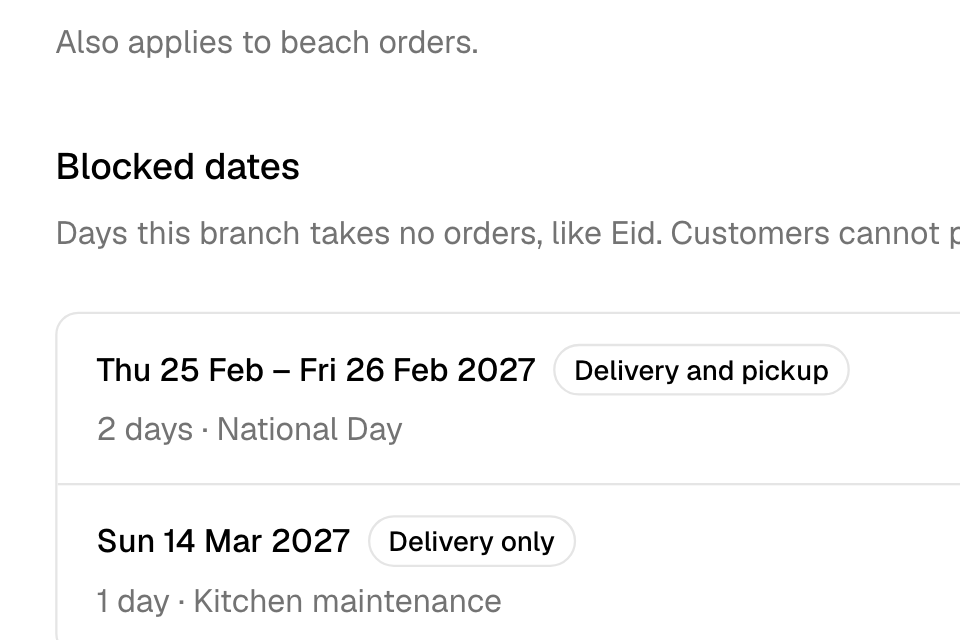
Block dates
- Go to Setup > Branches > Locations.
- On the branch card, select Edit.
- Under Blocked dates, select Block dates.
- Under Dates, pick one day, or a first and a last day.
- Under Stop, choose:
- Delivery and pickup: no orders at all.
- Delivery only: pickup stays open.
- Pickup only: delivery stays open.
- Optional: add a Note, such as "Eid al-Fitr". Only your team sees it.
- Select Block dates at the bottom of the panel.
You see "Dates blocked". This saves at once. You do not need to save the branch.
If scheduled orders are already on those days, the panel shows how many under Orders already placed. They are not cancelled. Contact those customers if you cannot serve them.
Change or remove blocked dates
- Find the dates under Blocked dates.
- Select More, then:
- Edit to change the days, what stops, or the note. Then select Save.
- Unblock to take orders on those days again.
Set the last order time
- Open the branch with Edit.
- Under Last order, enter the minutes before closing:
- Delivery: for orders now and orders for later.
- Pickup: also for beach orders.
- Leave a field empty to take orders until closing.
- Select Save at the bottom of the branch page.
For example, a branch closes at 23:00 with 30 minutes for delivery. From 22:30, customers cannot place a delivery order for now. They also cannot pick a delivery time after 22:30.
Rules and limits
| Rule | Limit |
|---|---|
| Days in one blocked range | 31 at most. Add another range for longer. |
| Blocked ranges per branch | 50 at most |
| Note | 100 characters at most |
| First day | Today or later |
| Last order | 5 to 480 minutes, or empty |
- Two ranges cannot block the same orders on the same day.
- Only the Owner and Operations roles see Setup > Branches.
Common questions
Do blocked dates cancel orders already placed?
No. Orders already scheduled on those days stay. The dashboard tells you how many there are.
Can I close the branch only for tonight?
Yes. Use Set as busy and Close for today. See Pause new orders when you are busy.
A blocked day's night runs after midnight. Is that covered?
Yes. A blocked day stays closed until its closing time, even after midnight. The early hours of a blocked day belong to the night before, so they stay open.