For: Owners, Operations
Where: Setup > Business > Alerts
Available: Web dashboard · All countries
Needs: Owner or Operations role
Too many alerts and people stop reading them. Too few and a waiting order goes unseen. Choose, role by role, what each person hears about and how.
How it works
Setup > Business > Alerts has two tabs:
- Your team: what Zyda sends to each role, by email, SMS and WhatsApp, and what the phone app rings for.
- This computer: sounds and pop-ups on this browser only. See Hear new orders and arrivals.
Settings are per role, not per person. Everyone with the Manager role gets the same alerts. This page calls the Operations role Manager.
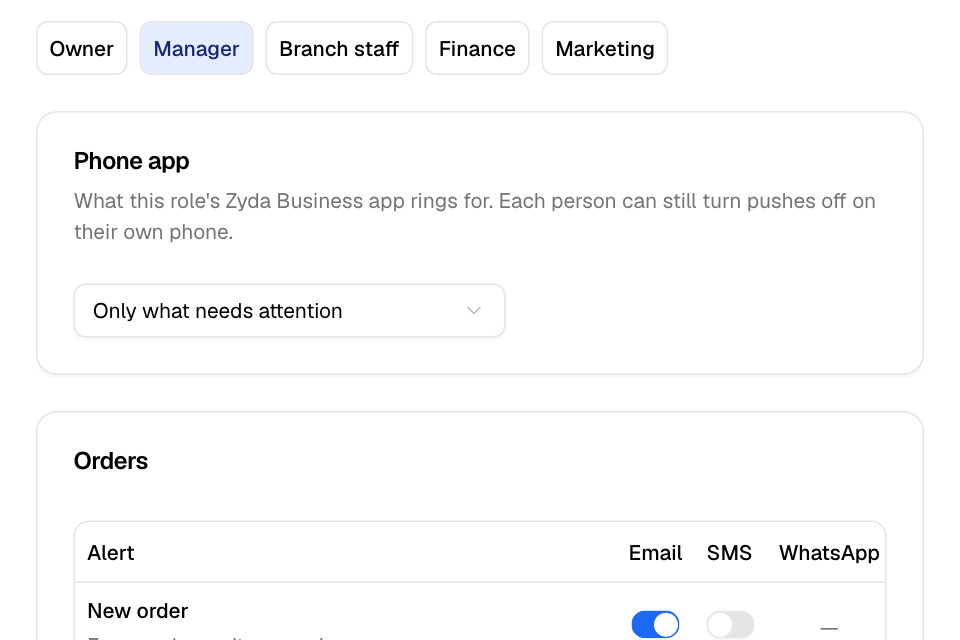
Choose what the phone app rings for
- Go to Setup > Business > Alerts.
- On Your team, pick a role: Owner, Manager, Branch staff, Finance, Marketing, or one of your own roles.
- Under Phone app, choose:
- Every new order.
- Only what needs attention: an order waiting past your accept time, a cancel or refund, a branch busy or stopped, or a bad review.
- Off.
- Select Save.
This is what the Zyda Business app sends for that role. Each person can still turn pushes off on their own phone.
Choose the email, SMS and WhatsApp alerts
- Pick a role.
- Find the alert. Alerts are in groups: Orders, Branches, Menu and stock, Chats, Billing and plan and Reports.
- Turn the Email, SMS or WhatsApp switch on or off.
- Select Save.
A dash means Zyda does not send that alert by that channel.
The alerts
| Group | Alert |
|---|---|
| Orders | New order, Order waiting (not accepted within your accept time), Order did not reach the POS, Driver assigned |
| Branches | Branch set as busy, Branch or store published |
| Menu and stock | Low stock (below your low-stock level), POS menu import finished or failed |
| Chats | A chat needs your team: Zyna AI hands a chat to your team, and again after 10 minutes with no reply |
| Billing and plan | Invoices and receipts, Payment failed or overdue, Plan, add-on and trial changes, Zyna AI credits ran out |
| Reports | Weekly and monthly business report, Offer budget used (at 80% and 100% of an offer's budget) |
Rules and limits
- A role you made yourself follows the Zyda role it was based on for email, SMS and WhatsApp. Its switches are read-only. Change them on that Zyda role. Only its Phone app choice is its own.
- Save writes only the switches you changed. Everything else stays as it was.
- The wait time for Order waiting is Time to accept an order in Order settings.
Common questions
Who gets the phone app alerts by default?
Owner and Manager: Only what needs attention. Branch staff: Every new order. Finance and Marketing: Off.
I turned an alert off, but one person still gets it. Why?
Check which role the person has. The setting is per role, so change it on that role.
Can I stop the order sound on one computer only?
Yes. Use the This computer tab, or the bell in the top bar. It changes only this browser.