For: Owners, Operations
Where: The business's ordering link on your website
Available: Web dashboard · All countries
Before you send a business its link, it helps to know what the buyer sees. The link opens a simple ordering page on your website, made for repeat orders in bulk.
How it works
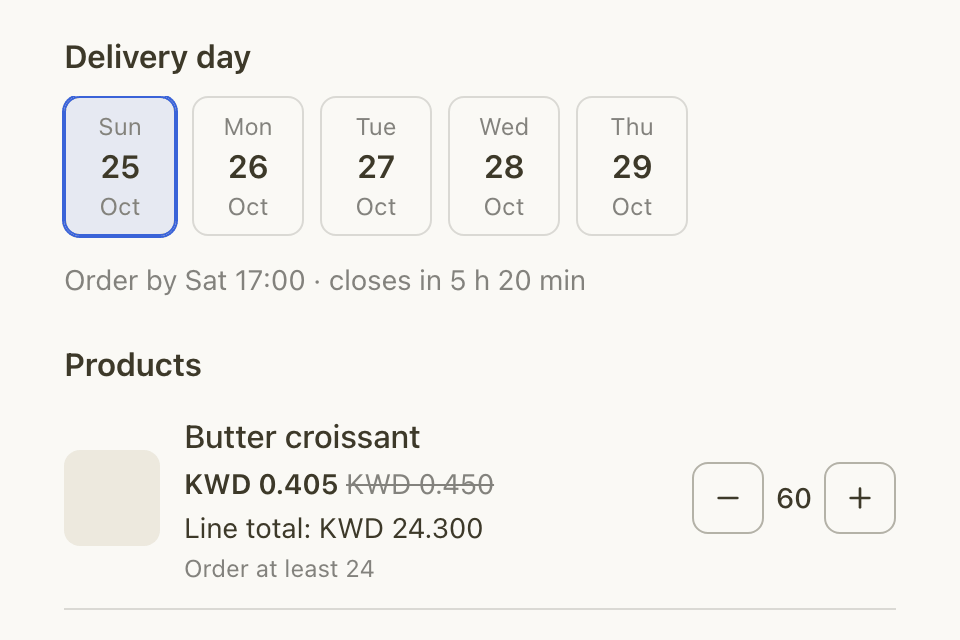
The link opens Business ordering on your website, in your store's colours. From top to bottom, the buyer sees:
- Ordering for and the business's name.
- Deliver to: the business's delivery locations. If it has none, the buyer enters the address at checkout.
- Delivery day: the next open days. Under the picked day: "Order by" the closing time, and how long is left.
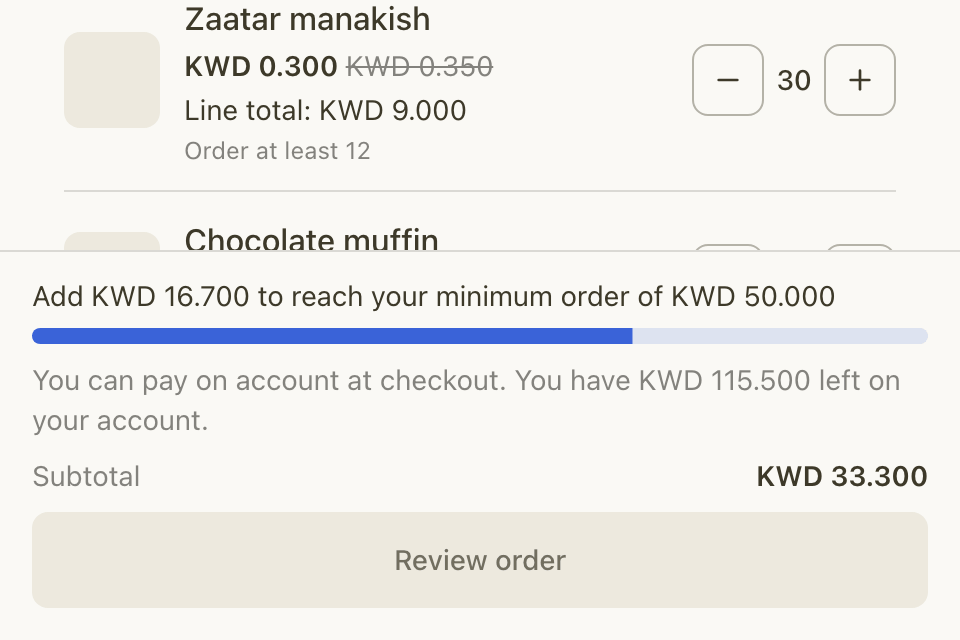
- Products: only the products on the business's price list, at its prices. When the shop price is higher, it shows crossed out. A product with a minimum shows "Order at least" and the number.
At the bottom, the buyer sees how far the order is from the business's minimum order, what is left on its account, the Subtotal and Review order.
How the buyer orders
- The buyer opens the link.
- The buyer picks a delivery day.
- The buyer sets the quantity of each product. For a product with options, the buyer selects Choose options.
- The buyer selects Review order. Your normal cart and checkout open.
- At checkout, the buyer picks a delivery time on that day.
- The buyer pays online, or chooses Pay on account if the business has it.
To collect the order from your branch instead, the buyer selects We'll collect it at checkout.
How you get the order
- The order arrives in Manage > Orders like any order. The business's name shows on the order, and the delivery location's name on the order sheet.
- To see only business orders, open More filters, then Wholesale, and choose Wholesale only. Choose Hide wholesale to leave them out.
- The order is scheduled for the delivery day, so it also shows on the production sheet.
Rules and limits
- Anyone with the link can order and pay online, without an account.
- Only buyers signed in with an approved phone can pay on account.
- Business orders are never paid in cash or by card on delivery.
- Discount codes, offers, loyalty rewards, cashback and gift orders are not offered on a business order.
- Combo meals and products with a booked time cannot be ordered.
- The link is private. When the page opens, the link's private code is removed from the browser's address bar.
- A paused business, or an old link after you made a new one, shows "This ordering link is no longer active".
Common questions
The buyer sees "There are no open delivery days". Why?
The business has no delivery day open now. Its orders closed, or your branch is closed or blocked on its days. Check its Delivery days.
The buyer sees "Your business price list has no products yet". What do I do?
Add products or a discount to the business's price list.
Can a business see its past orders?
Yes. A signed-in buyer sees them in their recent orders on your website, including orders still unpaid on account.