For: Owners, Operations, Marketing
Where: Understand > Customers > Profiles > select a customer
Available: Web dashboard · All countries
A customer calls about an order, or you want to thank a regular. Open the customer to see everything about them, without searching in several places.
How it works
Select a customer in Understand > Customers. Their details open in a panel on the side, over the list. The same panel also opens from an order, a review or a payment.
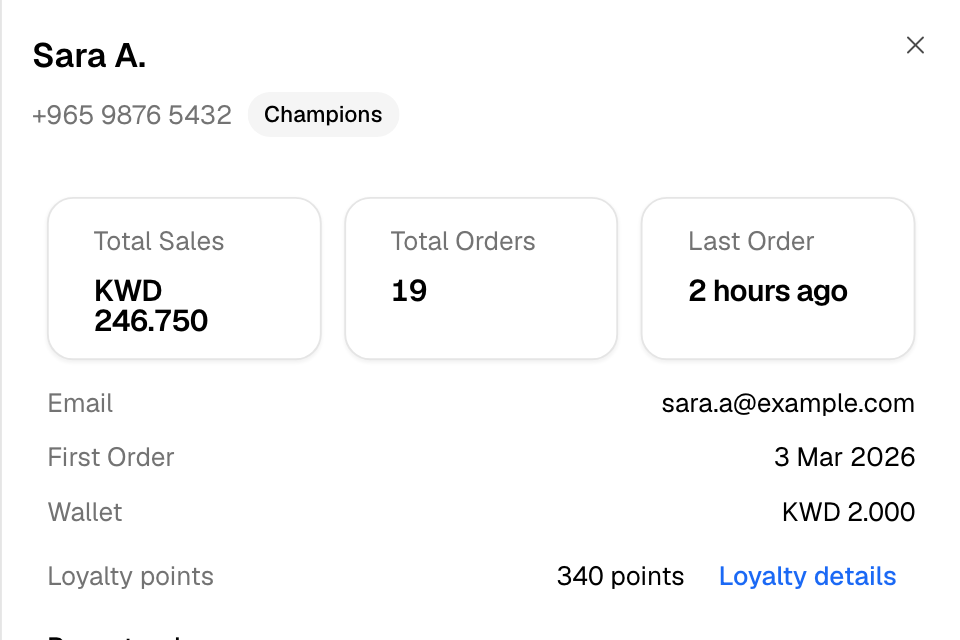
The panel shows:
- The name, phone number and segment. A Blocked badge shows if you blocked the number.
- Total Sales, Total Orders and Last Order, for example "3 days ago".
- Email, First Order and Wallet: the money in the customer's wallet with your store.
- Loyalty points, if the customer is in your loyalty program. Select Loyalty details to open their loyalty record.
- Recent orders: the last 5 orders. Select an order to open it.
- Recent carts: up to 5 carts the customer filled but did not order.
- Recent chats: up to 5 WhatsApp chats with the customer. Select a chat to open it in the inbox.
- Addresses: where you deliver to them.
Open a customer
- Go to Understand > Customers.
- Search by Name or Phone number, or pick a segment.
- Select the customer. The panel opens.
- To see all of it on one page, select Open full profile.
You can also open the full page from the list. Select … at the end of the row, then View Profile.
The full profile
The full profile has the same facts, and the customer's whole Order History. More orders load as you scroll down. Select an order to open it.
Delivery Addresses lists every address the customer used.
Rules and limits
- You need access to customers to open the list.
- Total Sales shows only if you also have view access to sales. Without it, you see a dash.
- Recent chats shows only if you have access to WhatsApp chats. Instagram chats are not listed, because they have no phone number.
- A customer is one phone number. Orders from a guest checkout and from an account with the same number show together.
Common questions
The panel says "Older orders aren't listed here." Why?
The panel lists recent orders only. Select See all their orders to open the Orders page, searched by the customer's phone number.
Can I change a customer's name or phone number?
No. You cannot edit a customer's details in the dashboard.
How do I stop a customer from ordering?
Block their number. See Block a customer's phone number.