For: Owners, Operations
Where: Serve > Wholesale > Accounts > open a business > Delivery days
Available: Web dashboard · All countries
Your kitchen needs to know tonight what to bake for tomorrow's deliveries. Set the days each business gets deliveries, and close its orders for a day at a fixed time the day before.
How it works
Each business has a delivery week. For each weekday you choose whether the business gets deliveries, and its order-by time.
Orders for a delivery day close at the order-by time on the day before. For example, with an order-by time of 17:00, orders for Sunday close on Saturday at 17:00.
A day with no time of its own uses the store's order-by time from Serve > Wholesale > Settings. It starts at 18:00.
On its link, the business picks a delivery day from its open days. It sees "Order by" and the time, and how long is left.
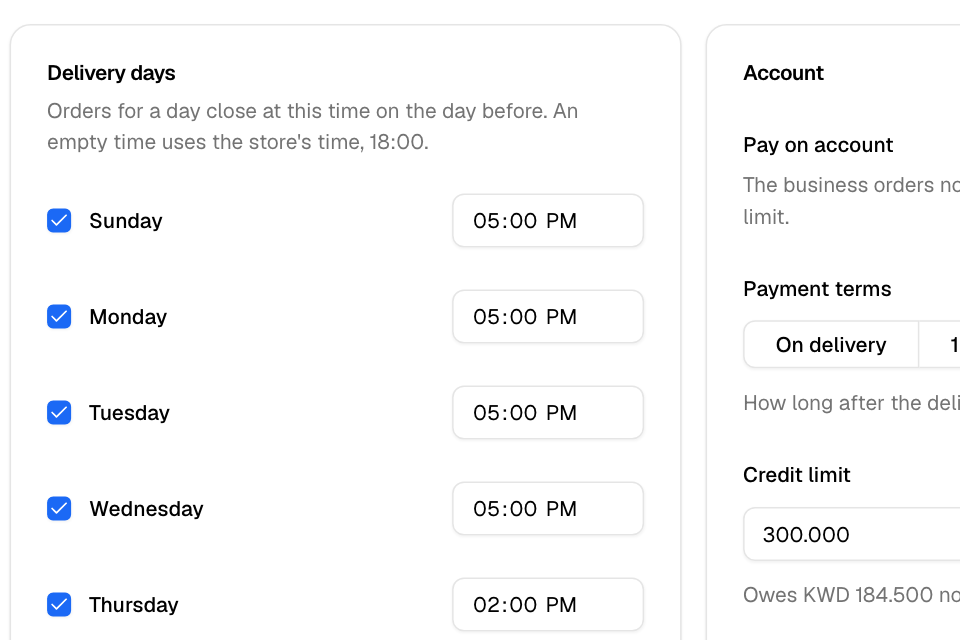
Set a business's delivery days
- Go to Serve > Wholesale > Accounts and open the business.
- Find the Delivery days card.
- Tick each day the business gets deliveries. Untick the other days.
- Optional: next to a ticked day, enter its own order-by time.
- Select Save.
You see "Delivery days saved".
Change the store's order-by time
- Go to Serve > Wholesale > Settings.
- Change the Order-by time.
- Select Save.
Every business day with an empty time uses the new time.
Rules and limits
- A business that never saved its delivery days gets deliveries every day, closing at the store's order-by time.
- At the order-by time itself, the day is already closed.
- Times are in your branch's time zone.
- A day is also closed when the branch is closed that day, the date is blocked, or the branch does not take scheduled orders.
- A business can order only as far ahead as your store lets customers schedule orders.
- At checkout, the buyer picks a delivery time on that day from your branch's normal time slots.
- An order for a day that is not a delivery day, or after its order-by time, is stopped at checkout.
Common questions
A business says it cannot pick tomorrow. Why?
Orders for tomorrow closed at today's order-by time. Or tomorrow is not one of its delivery days, or your branch is closed or blocked that day.
Can I take a late order after the order-by time?
Not through the link. Set a later order-by time for that day in the business's Delivery days, and select Save. The business can then order until the new time.
Do the delivery days limit my normal customers?
No. They apply only to orders placed through a business's link.