For: Owners, Operations
Where: Home > Needs you
Available: Web dashboard · All countries
A customer says your store will not take their order. Open your store as a customer does, read what it says, and fix the cause below.
How it works
Your online store can be closed for three reasons:
| The customer sees | Why |
|---|---|
| "Sorry! We can't receive your order at the moment", with no menu and no picture | Your store is unpublished. |
| Closed, or Opens with a time, next to a branch | The branch is outside its opening hours, on a holiday, or closed for today. |
| Busy, or "Sorry, this branch is busy" | Someone set the branch as busy. |
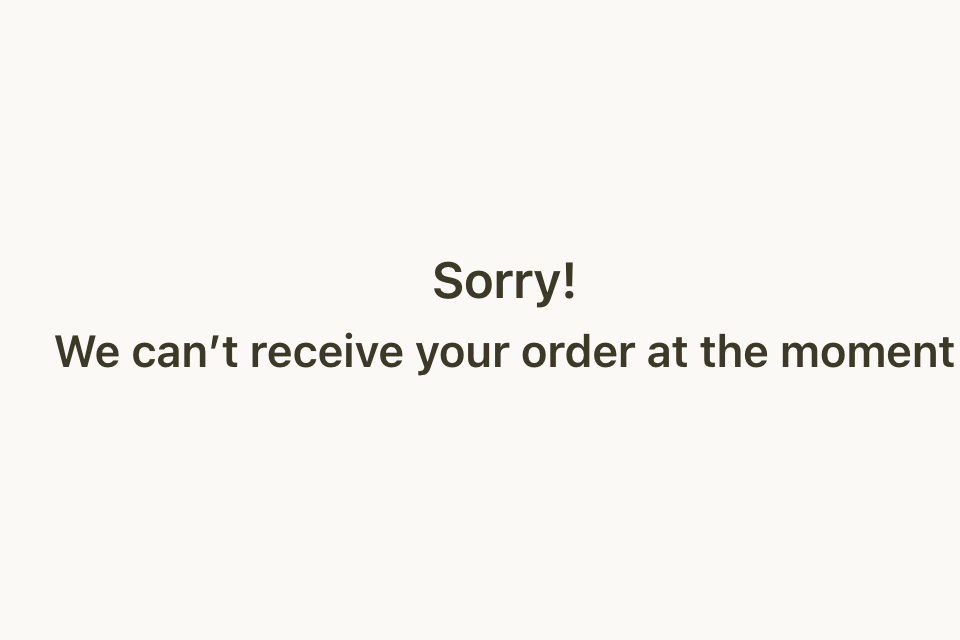
What still works when your store is unpublished
- Your online store, its checkout and your payment links do not open. Customers see the message above.
- Orders you take in the dashboard still work, if the customer pays cash, by card on delivery or in store.
Quick checks
- Open your store as a customer. Select the Help icon in the top bar, then Visit Store.
- If you see "Sorry! We can't receive your order at the moment", go to Home. Look for Your store is unpublished under Needs you.
- The store owner selects Publish store, then Approve. The store opens again at once.
- If Publish store does not work, check your plan in Finance > Plan. A cancelled plan or an unpaid invoice closes the store. Pay the invoice, and the store opens again. See Check your plan and next bill.
- If a branch shows Closed, check its opening hours and holidays in Setup > Branches. See Add a branch and set its opening hours.
- If a branch shows Busy, go to Manage > Orders. On the busy bar, select Set as Available, or Edit availability when you see more than one branch. See Pause new orders when you are busy.
- Check Needs you on Home again. It also lists an unpublished branch, or delivery or pickup that is off, with a button to fix it. See Fix what needs you on Home.
If it still does not work
Contact Zyda support from the chat bubble in the bottom corner of the dashboard. Send:
- your store link
- a screenshot of what the customer sees, and the time
- the branch, and whether it was for delivery or pickup
- the customer's area, if it was a delivery order
Common questions
Can I unpublish my store myself?
Yes, if your role has the Publish or unpublish the store switch. The Owner role has it. Select your brand's name in the top bar, then All brands, then Unpublish. See Take a brand offline or publish it again. To stop orders for a short time, set your branches as busy instead.
Who can publish the store?
People whose role has the Publish or unpublish the store switch. The Owner role has it. Zyda does not publish a store whose plan is cancelled.
My store is open, but one customer cannot order. Why?
Check that a branch delivers to the customer's area, and that the branch is open at the time they chose. A customer can also schedule an order for when the branch opens.