For: Owners
Where: Setup > Team > People > Add person (in each brand)
Available: Web dashboard · All countries
Needs: The Owner role in each brand you add the person to
A manager looks after two of your brands. Give them one sign-in that opens both, with the right role in each brand.
How it works
A person has one sign-in: one email, one password. That sign-in can work in many brands. Each brand has its own team and its own roles.
- You add the person in each brand, from that brand's Team page.
- The person has one role in each brand. The roles can differ. For example, Owner in one brand and Branch staff in another.
- The branches a person works in belong to one brand. You choose them brand by brand.
- Each brand's Owner controls only that brand. You cannot see or change the person's role in a brand you do not own.
The person sees every brand they have a role in under Your brands. See Switch between your brands.
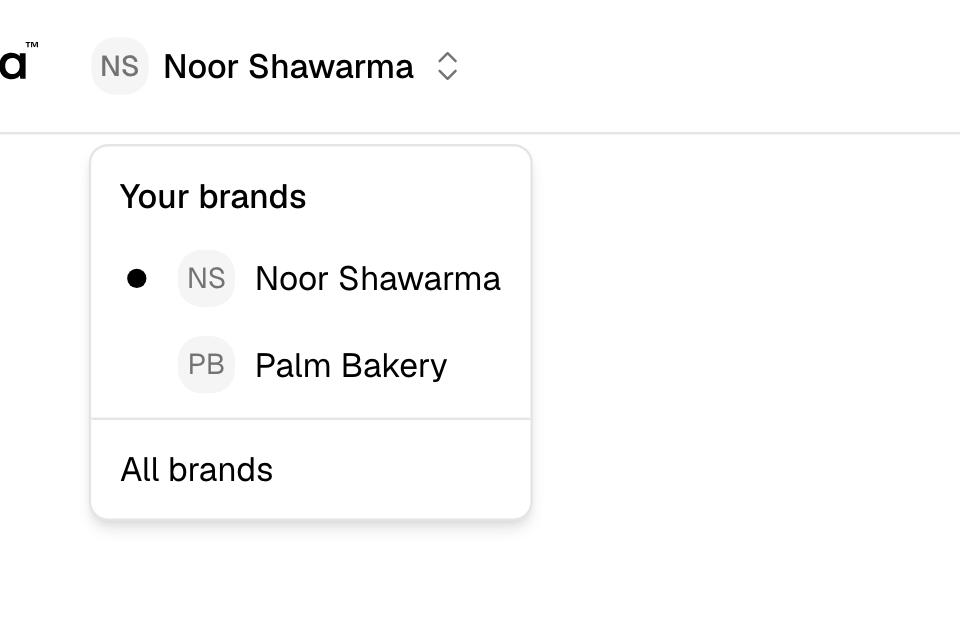
Give a person access to one more brand
- Switch to the brand you want to add them to. See Switch between your brands.
- Go to Setup > Team.
- Select Add person.
- Enter the person's Full Name, Email and Phone Number. Use the email they already sign in with.
- Under User Role, choose the role for this brand.
- Under Branches, choose All branches or Only some branches.
- Select Add.
The person keeps their own password. Zyda sends them no email. They see the new brand the next time they sign in. Repeat these steps in every other brand.
Take a person out of one brand
- Switch to that brand and go to Setup > Team.
- Select Edit next to the person.
- Select Delete at the top, then Delete again.
The person leaves this brand only. Their other brands stay. Zyda signs them out of the dashboard on every device, so they sign in again. See Change or remove a team member.
What you can and cannot change
| In your brand | |
|---|---|
| The person's role and branches | You can change them. |
| The person's name, email and phone number | You cannot, when the person has a role in another brand. Only they can. |
| The person's password | Nobody can, except the person. |
Name, email, phone number and password are the same in every brand, because they belong to the sign-in.
Rules and limits
- Only the Owner of a brand opens Setup > Team in that brand.
- A person has one role in each brand.
- You can add a role only in your own brand. Zyda refuses a role for another brand.
- Each brand keeps at least one Owner.
- A role on one branch is enough for the brand to show in the person's list.
- Your People tab shows the person's role in your brand only.
Common questions
Does the person get a new password?
No. If the email already has a Zyda sign-in, the person keeps their password and gets no email. A new email gets a new sign-in and a password by email.
Can I add myself to a brand I do not own?
No. The Owner of that brand adds you in their Setup > Team.
The person does not see the new brand.
Ask them to reload the page, or to sign out and sign in again. If the brand is still missing, check the email. It must be the one they sign in with.
Can the same person own two brands?
Yes. Give them the Owner role in each brand.